
Cloud migration – without a lost weekend.
We assess your existing infrastructure, plan the move step by step and migrate to AWS, Azure, Google Cloud or an EU provider – with a rollback plan and clear costs.
$ bytefactory assess --env on-prem
✔ Services inventoried
✔ Dependencies mapped
# Target: eu-central (Frankfurt)
$ bytefactory migrate --wave 1
database ··· replicated
dns ··· switched
rollback ··· ready
$ bytefactory costs --report
costs ··· visible per service
Understand first. Then move.
A good migration doesn't start with the move but with the inventory.
Assess
An inventory of all systems, dependencies and costs – the basis for every decision.
Migrate
Move in waves with a rollback plan – instead of a big bang over the weekend.
Optimize
After the move: tune monitoring, permissions and costs so the cloud runs cheaper than planned.
What's included.
- Inventory of all systems and dependencies
- Target architecture & cost estimate
- Migration plan in waves with rollback
- Data migration with minimal downtime
- Infrastructure as code with Terraform or Pulumi
- Monitoring & cost control after the move
- Documentation for your team
How a project runs.
- Week 1
Assessment
Inventory and goals.
- Week 2
Plan
Target architecture, costs, wave plan.
- From week 3
Migration
Move in waves, each with testing and a rollback plan.
- Ongoing
Operate & optimize
Costs, security and performance continuously in view.
Cloud migration services: lift & shift, replatforming or refactoring?
Cloud migration services start from a simple fact: a migration is not a single moving day but a series of decisions about what happens to each system. Three routes are generally distinguished. With lift and shift, also called rehosting, a system moves unchanged onto virtual machines in the cloud. That is quick, but it barely uses what the cloud offers and can end up costing more to run than planned. With replatforming, a system is moved with small adjustments onto cloud services, for example by running the database as a managed service or the application in containers. With refactoring, the application itself is rebuilt, for example split into separate services. That takes more effort than the other two routes and offers more design freedom.
Which route fits is not decided by technology alone, but also by the condition of the application, the available time window, the budget and the know-how in your team. And not every system has to move: some are replaced, retired or deliberately stay on-premise. That is why every migration starts with the inventory: all systems, their dependencies and their costs. Only on that basis do target architecture and cost estimate take shape.
Cloud migration is one of four services you get from ByteFactory from a single source. Targets include AWS, Azure, Google Cloud and European providers. We compare them neutrally against your requirements for services, cost, data protection and existing know-how.
Data protection: regions, DPAs and EU providers
When you move to the cloud, a provider processes data on your behalf. As soon as that includes personal data, a data processing agreement (DPA) under Article 28 GDPR is required. The large providers offer standard agreements for this, which you have to review and sign.
The second point is the region. AWS, Azure and Google Cloud operate data centers in the EU, for example in Frankfurt. You choose the region at setup. Data only stays there if backups, logs and connected services are located in that region too. Encryption of data at rest and in transit, with clear rules for key management, and clean access management, where every person and every service gets only the access it needs, complete the picture.
If a provider belongs to a group outside the EU, you should clarify with your data protection officer whether transfers to third countries play a role. The cloud can be GDPR-compliant, but it is not automatically so. Where needed, we recommend European providers. The final legal assessment is yours, as the controller.
Planning costs before and after the migration
Cloud costs are usage-based. Compute, storage, outbound traffic, licenses and managed services are billed separately, and small items add up. A reliable estimate before the migration therefore needs the inventory: the actual utilization of the systems instead of the nominal capacity of the servers they run on today. Anyone who transfers 1:1 can end up paying in the cloud for reserves that used to sit idle as hardware. For a stable base load, pricing models with a longer commitment can also be cheaper than pay-as-you-go.
A comparison with running your own servers also has to count electricity, hardware replacement, maintenance and staff time. The cloud therefore does not necessarily cost more. It can, though, if nobody is looking. We estimate costs before the migration and set up monitoring and budgets afterwards so you can see every service. Technically, this can be solved with tags or separate accounts per service and with budgets that warn when exceeded.
The aim is for the cloud to run cheaper than planned after the move. That works when costs don't first show up on the invoice but are visible per service.
Migrating in waves instead of a big bang
A move over a single weekend, where everything migrates at once, is risky: if something fails, it is unclear which step caused it, and the way back is long. We therefore plan waves. In one wave, systems that are closely connected move together. Systems with few dependencies and low business risk are generally good candidates for early waves; critical systems sensibly follow later, with the experience from the first ones.
Every wave has the same structure: testing, switch-over and rollback plan. Data is replicated in advance, so the target environment is already current at switch-over. The switch happens in a short maintenance window, for example by changing DNS records. A rollback plan requires that the previous environment stays available and unchanged until the new one has been accepted, so that switching back is genuinely possible.
How long a migration takes depends on the number of systems and their dependencies. After the assessment you receive a wave plan with a realistic timeframe per wave. If you would like to know what that could look like for your environment, tell us briefly what runs today and where it should move.
After the move: operations and optimization
The work does not end with the last wave. After the move, we tune monitoring, permissions and costs so that the cloud runs cheaper than planned. Monitoring shows whether services are reachable and how heavily they are used. Permissions get reviewed so that generous access granted during the move does not stay in place. On the cost side, it becomes visible which services are oversized.
Anyone who wants to switch or extend providers later benefits when the infrastructure is described as code and built on portable building blocks such as containers. We take care of that from the start. That makes a later provider switch easier. If several services are to scale and be deployed automatically, Kubernetes can be the right platform; you can read more under Kubernetes consulting.
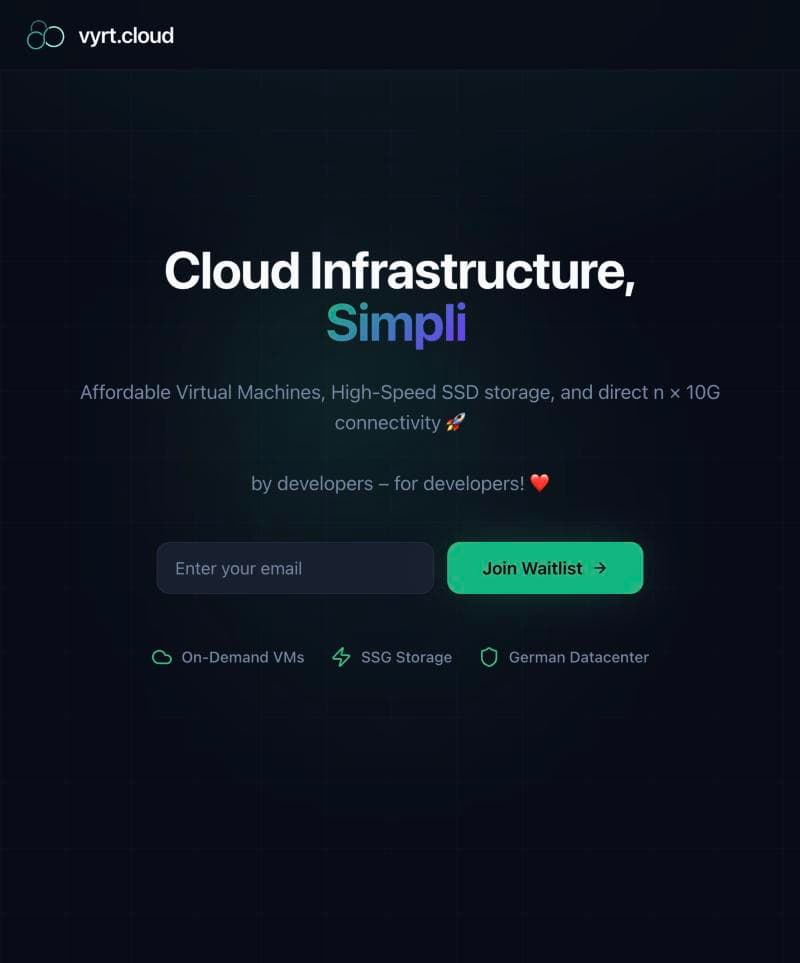
In the end, your team receives documentation of the new environment. If your environment also includes a website, the page on website development describes how we build and host websites. One example from practice is the cloud migration for Vyrt Cloud UG from 2024: a reliable cloud migration for an infrastructure provider, with room to scale.
Cloud migration
A reliable cloud migration designed for an infrastructure provider with room to scale.
Frequently asked questions.
How long does a cloud migration take?
It depends on the number of systems and their dependencies. After the assessment you receive a wave plan with a realistic timeframe per wave.
Which cloud provider fits us?
Your requirements for services, cost, data protection and existing know-how decide. We compare AWS, Azure, Google Cloud and European providers neutrally.
Is the cloud GDPR-compliant?
It can be: with EU regions, a data processing agreement, encryption and clean access management. Where needed, we recommend European providers.
Will there be downtime?
We plan to keep it minimal: data is replicated in advance, switch-overs happen in short maintenance windows, and every wave has a rollback plan.
Won't the cloud cost more than our own servers?
Not necessarily. We estimate costs before the migration and set up monitoring and budgets afterwards so you can see every service.
Can we switch providers later?
Yes, if the infrastructure is described as code and built on portable building blocks such as containers. We take care of that from the start.